Keep the queue beside the work
Switching between list and record can obscure whose history and visit are displayed.
Moving between patients requires clarity about whose record is open and what happens when a visit ends. For MIS+, I focused the prototype on the queue, the selected patient’s context and explicit actions for moving forward.
Explore the screensThe clinic-network PRD notes twenty old navigation icons, inconsistent filters and busy forms. These are unvalidated design observations. The prototype focuses on reception and patients.
The challenge is retaining context when the queue changes. Patient details, history, current visit and summary belong together, while completion and non-attendance need distinct actions despite both advancing the queue.
Desktop prototype with three routes: reception, patients and a new-patient form.
Switching between list and record can obscure whose history and visit are displayed.
Completion and non-attendance change the queue but represent different events, requiring distinct actions.
Icon-only navigation demands memorisation, while allergy warnings can disappear among densely arranged fields.
Switching between list and record can obscure whose history and visit are displayed.
Completion and non-attendance change the queue but represent different events, requiring distinct actions.
Icon-only navigation demands memorisation, while allergy warnings can disappear among densely arranged fields.
The left-hand queue accompanies patient details, history, current visit and summary. Search and selection work with demonstration records.
The composition assumes desktop space. Long histories and larger queues still need usability testing.
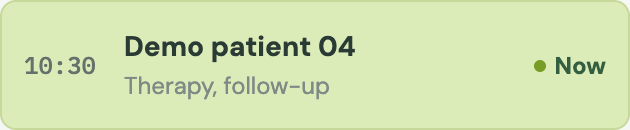
Finish-and-next is separate from marking a missed visit. Both promote the first waiting patient.
Queue changes are local. Mistaken completion, reversal and consistency across workstations need further design before connecting real data.

The shell labels navigation and places an allergy strip above visit actions. New-patient entry has a separate route.
The strip does not establish comprehensive clinical warnings. Saved-state labels do not mean form data is persisted.

Fragments of the current prototype. The original interface for an evidence-based before/after comparison has not been added.
To add: the original screen, date and comparison conditions.
The palette, component fragments and CSS values from the current prototype. The full system specification and usage rules still need to be added.
Colours #DCECB9, #E2E8E3, #F5F7F4 and #18332C underpin MIS+’s queue, fields and summary.
The family declared in CSS. Missing fonts or glyphs use the system fallback.
To add: text roles and the complete type scale.
Selected spacing and corner-radius values from CSS. These examples are not an approved token scale.
Patient context accompanies the queue; the allergy strip precedes visit actions.
Demonstration records appear within the shared shell and labelled navigation.
A dedicated form route presents input structure without data persistence.
Read-only HTML previews of the prototype. Demo data; personal identifiers replaced.
Labelled navigation unifies three routes. Other labels do not establish functioning scheduling or finance modules.
Desktop prototype with three routes: reception, patients and a new-patient form.
Prototype interface
States with visible consequences. Selection changes patient context; completion and non-attendance advance the queue locally against six fixture patients. The diagram describes the case logic. Working transitions are limited by the current prototype.
The process material demonstrates AI use for structure, code, demo data and states. The designer owns priorities, clinical context and verification. This documents an approach to prototyping without a measured speed gain.
Product design for the medical system and its interface structure.
Desktop prototype with three routes: reception, patients and a new-patient form.
Scope documented
Decisions and trade-offs documented
Layouts available above
User testing remains a next step
The prototype implements three routes, patient search and selection, and local queue changes after completion or non-attendance. It brings visit context into a desktop composition and presents a new-record form.
Artefact inventory
Artefact inventory
Artefact inventory
The numbers describe the prototype’s scope. User impact has not been measured.
To add: baseline, test method, sample and results.
There is no backend medical storage. Inputs use default values without persistence; saved labels do not prove a write. A full electronic health record is not implemented. Without baseline measurements, speed or error reductions cannot be established.
In a future test, find a patient and identify whose history is open.
Record selection errors, lost context and repeated identity checks against the queue.
Run separate completion and missed-visit scenarios on a test queue.
Check action choice, understanding of the next patient and expectations of reversal.
Review the allergy warning and complete a test new-patient form.
Record warning discovery, omitted fields and saving expectations; test persistence once storage exists.
From totals to individual readings